Questions? Call 1-888-987-3669 or email
Questions? Call 1-888-987-3669 or email
For over two decades, Solo Build It! members have trusted SBI! to help them turn their passion, hobbies or skills into profitable online businesses.
With the arrival of ChatGPT, we're now in a new era of AI-assisted content creation.
But AI needs to be used correctly to be effective.
Or if you are not yet an SBI! member...

Solo Build It! is the best solution out there to get you started on an exciting journey of sharing your knowledge about a topic you love and turning that knowledge into a business.
Start with an idea, do the research, and build up traffic. Connect to your target audience by sharing personal experiences and stories throughout your helpful content. Convert growing website traffic into earnings.
Step-by-step you’ll move closer to your goal of having more time, income and personal freedom.
Today, anyone can put up a professional-looking website or blog. It's a commodity. You choose a design and click.
Big companies spend tons on advertising to make you believe that there's something special about their templates, or their sitebuilder. The result?
Most people make the mistake of believing that the site or blog is the business. It's not. Building a site or blog is the easy part.
The harder, more important parts are...
SBI! enables you to excel at those. No "sitebuilder" does the hard parts. You do!

SBI! makes sure you get the basics right. You do things in the right order. You stay on track. You aren't misled by questionable advice from "experts."
Overwhelming complexity is condensed into a complete system that works. It auto-updates, so you can focus on building your business instead of wasting your time "keeping up."
It eliminates why most solopreneurs fail, enabling them to focus on the joy of business success...
The human element of SBI! makes it a joy, both for us who work on developing SBI! every day, and for everyday people who use it to reach life-changing goals.

Step-by-step video, written and mobile versions of the Action Guide help you every step of the way, leading you through the most effective online business-building process available anywhere.

All the tools you need to grow your increasingly profitable online business. From niche research to sitebuilding to monetization planning, SBI! has you covered.

SBI! keeps you up-to-date (so you don't have to spend time doing it). Whether it's major new developments like artificial intelligence or the rare golden nugget from hundreds of business sources that we track, we have your back. All updates and additions are free and automatic, too!

24x7 Support is always at your fingertips.
And get business-building assistance at the "help and be helped" SBI! Forums, an exclusive, private community of like-minded solopreneurs who care.

SBI! includes dozens of free templates to make your business beautiful. And all site designs can be easily customized using simple, familiar, point-and-click tools.
Click Here To Order and Start Today, Risk-Free
Questions?
Call us toll free – 1-888-987-3669.
Or click here to email.
Solo Build It!'s Action Guide is your reliable business building partner. Its combination of core information and simple instructions empowers you to grow a long-term, profitable online business to be proud of — whether you're a beginner or have some experience.
SBI! methodically guides you through every part of building a business...
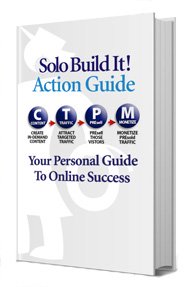
SBI!'s Action Guide breaks the complex project of business-building into 10 (metaphorical) "DAYs." Each DAY is one major advance in the process.
Everything that you need to know and do is in the Action Guide. It's also all that you need — you won't waste time following useless info, or make mistakes due to bad info.
This approach works — SBI! has an unmatched proven track record.
While the Action Guide is the core, there's much more to SBI!. You also require the right tools to optimally execute many of the non-sitebuilding steps (e.g., refining niche selection or maximizing passive social signals). With SBI!, there's no need to search for plugins or addons — they're built-in and ready to go.
SBI! didn't start this way. SBIers taught us what they needed. For example, the firehose of articles related to AI, SEO, AdSense, GDPR, etc. was unmanageable 10 years ago. Imagine keeping up with it all today. We do that for you! Also...
Most people need a little help at some point. SBIers get as much as they want from a community that cares, in our private SBI! Forums. Everyone genuinely wants to help, and we all work off the same "playbook" (a big advantage). And oh yes... no one has a hidden agenda or tries to sell you a thing.
It's all part of what make our guidance and community unmatched in the industry.

Solo Build It! is also available as a plugin for the WordPress platform. It includes the same business-building guidance, process and support, minus the hosting and sitebuilding modules.

Each SBI! member below has achieved life-changing goals. Click on anyone to understand how s/he did it, and how SBI! enables you to do the same, even if the idea of growing an online business is totally new to you.
What common thread connects these solopreneurs (aside from their success)? They came to SBI! with 3 simple qualities that we call "BAM!" ...
None expected it to be "easy"...
We've seen "quick and easy" techniques come and go. They always do go, to be replaced by new, false promises.
Recently, campaigns by the largest hosting and sitebuilding companies are promoting how easy it is.
Trust us when we say, "It's not easy." Like any other business, it takes work to achieve success.
We can (and do) simplify it... yes.
We make it doable... yes. How?
We break it all down into best-practice, always up-to-date, optimally ordered steps. You follow those steps. It works.
But can SBI! make business-building "easy?" No one can — if it were easy, we'd all be rich. 💰
Offline, a place of business (e.g., an office, studio, store) is not "the business." Business only develops if you...
Online, everyone seems to forget that a site or blog is not a business. It's just a site or blog, sitting there. Have you prepared well beforehand? Are you able to build traffic? Do you have a monetization plan?
While SBI! does teach you the optimal structure for your site, the biggest reason for its unparalleled business success is way more than that...
SBIers build businesses, not mere sites or blogs. There are hundreds of faster ways than SBI! to put up (yet another ineffective) site or blog. But there's no better way to build a winning e-business than SBI!.
If SBI! is not for you, for any reason, you don't lose a thing.
Just cancel and refund, no reason needed.



 Try it. Simply follow the Action Guide.
  No strings. Better, actually...